
How to Automate Your Cleaning Routine: A Beginner’s Guide
Americans spend 42 hours a month on household tasks — that’s a part-time job. Here’s how to automate the repetitive parts in 3 tiers, starting at under $20.
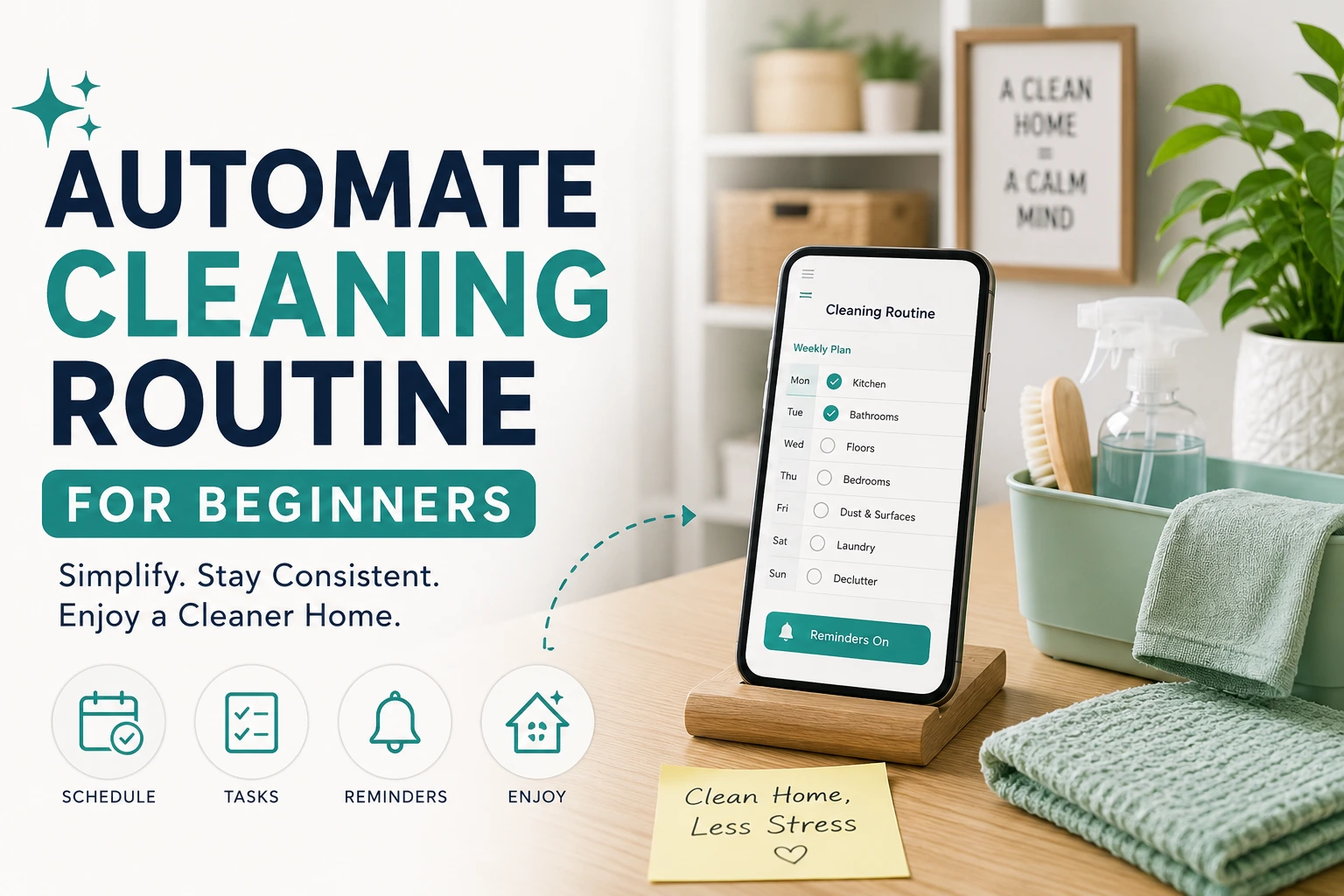
Americans spend roughly 42 hours every month on household tasks (Angi, 2024 — retrieved May 2026). That’s a part-time job nobody signed up for. Automating your cleaning routine doesn’t mean filling your home with robots. It means making small, deliberate changes that take decisions off your plate, so floors get clean even when life gets chaotic.
What You Need to Know
- The average American spends 42 hours per month on household chores, including 56 minutes weekly just on floor cleaning (ACI/RMS Cleaning, 2025 — retrieved May 2026).
- You can start automating for as little as $20 with a smart plug, before buying any robots.
- Nearly 1 in 3 Americans already owns a robot vacuum (ACI, 2025 — retrieved May 2026) — the learning curve is lower than you think.
- Automation works because it removes the decision entirely, not because you build better habits.
- Toilets, tubs, and laundry folding still need a human. This guide is honest about that.
Why Do Most Cleaning Routines Fall Apart?
Most cleaning routines fail not because people are lazy, but because they require a daily decision. According to a peer-reviewed meta-analysis published in MDPI Healthcare (MDPI Healthcare, Nov 2024 — retrieved May 2026), habit formation actually takes 2 to 5 months on average — not the 21 days most productivity blogs promise. That’s a long time to white-knuckle a new routine.
Here’s the thing: the solution isn’t better willpower. It’s removing the decision entirely. When a robot vacuum runs at 9 AM every morning whether you’re awake or not, you don’t need a habit. You don’t need motivation. You just need to have set it up once.
Decision fatigue is real. Every time you walk past a dirty floor and think “I should vacuum,” you spend mental energy on a task you haven’t done yet. That energy compounds across dozens of small household decisions every day. Automation short-circuits that loop.
What Does Automating Your Cleaning Actually Mean?
Nearly 1 in 3 Americans (30.4%) now own a robot vacuum, with adoption up sharply over the past five years (ACI/RMS Cleaning, 2025 — retrieved May 2026). The technology has crossed into mainstream use — and the apps, setup times, and overall reliability have improved significantly along the way.
Automating your home cleaning doesn’t mean a house full of gadgets. It means replacing a repeated manual action with a scheduled or triggered one. Start with a single task. One less thing you have to remember is a genuine win.
Think of it this way: your dishwasher is automation. Your washing machine on a timer is automation. A robot vacuum that runs at 8 AM while you’re on your morning walk is automation. None of these require a tech degree.
The goal is to reduce your active cleaning time by turning recurring chores into background processes. You set them up once — or update them occasionally — and they run on their own. The floor gets vacuumed. The soap dispenses without touching a pump. The air purifier kicks on when you get home.
If you’re also trying to build a system around all of this, it helps to have a bigger framework. Our post on building a lazy-proof home organization system covers the full picture — this guide focuses specifically on floor cleaning and your first few smart devices.
Which Automation Tier Should You Start With?
Not everyone needs to spend $300 to get started. A tiered approach lets you test one layer at a time and only add complexity when the previous layer is working. Most beginners see real results at Tier 1 alone, long before they touch a robot vacuum.
| Tier | Budget Range | What You Get | Best For |
|---|---|---|---|
| Tier 1 — Starter | $20–$80 | Smart plug, auto soap dispenser | Anyone. Literally everyone starts here. |
| Tier 2 — Core | +$150–$200 | Robot vacuum (floors handled daily) | Homes with hard floors, pet hair, or kids |
| Tier 3 — Full | +$200–$300 | Robot vacuum + mop combo | Kitchens, open-plan areas, no-shoe households |
You don’t have to climb all three tiers. Some households are perfectly happy at Tier 2 forever. Others skip Tier 2 and just want touchless soap. Start where you are.
Tier 1 — Start Here: The $20 Win (Smart Plug + Auto Soap Dispenser)
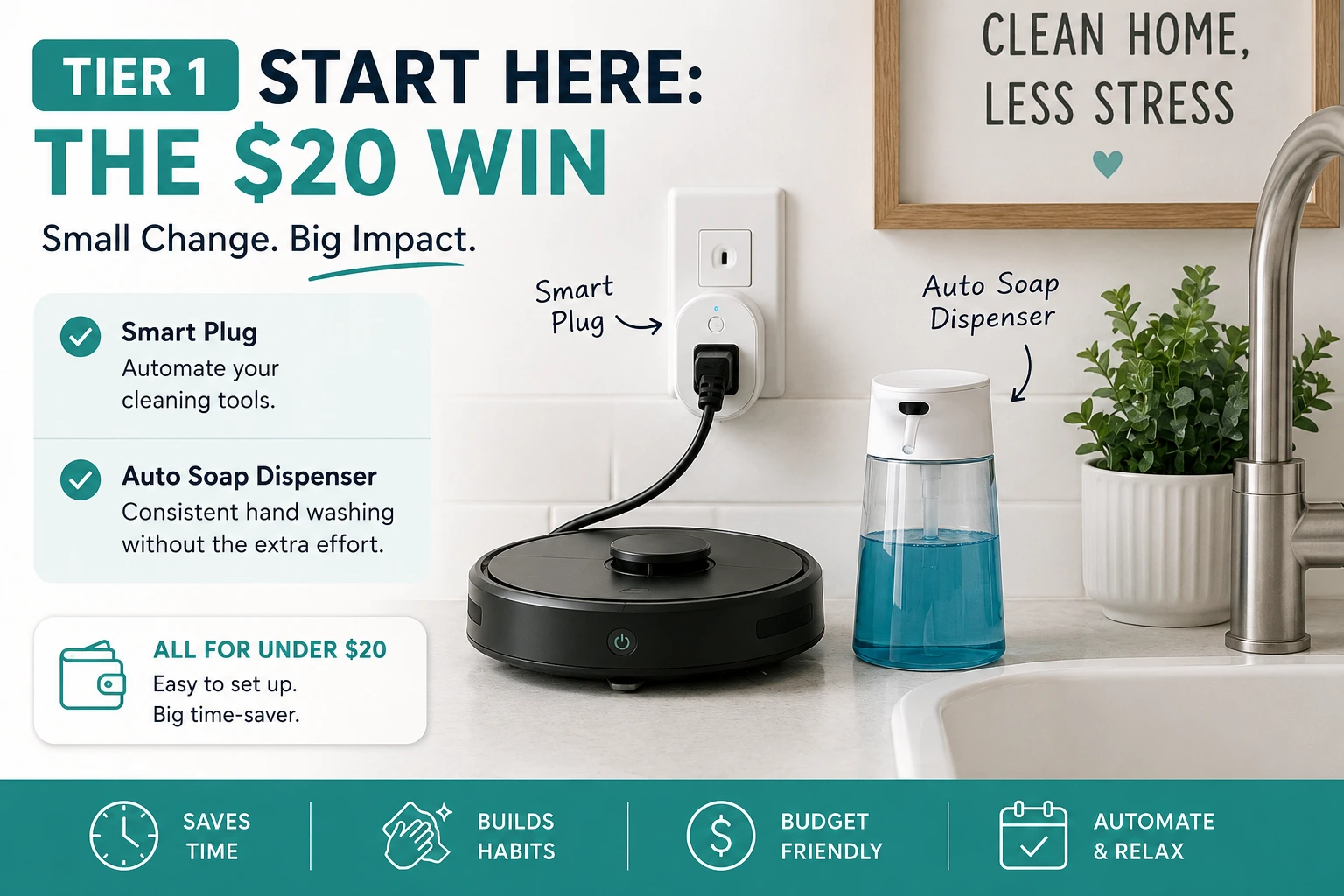
The Kasa Smart Plug Mini costs between $10 and $20 and connects directly to Wi-Fi — no hub, no bridge, no extra hardware. You plug it in, download the free Kasa app, and set a schedule. That’s the entire setup. In my own setup, the whole process — from unboxing to a live schedule — took under 8 minutes. It works with Alexa, Google Home, and Apple HomeKit. At this price, it’s the lowest-friction entry point into home automation for beginners.
Here’s what people use smart plugs for in their cleaning routines:
- Air purifier on a schedule — runs automatically during peak dust hours (often late morning and evening), so you’re not breathing yesterday’s air when you wake up.
- Diffuser timer — turns off after 60 minutes so you don’t walk into a wall of scent when you come home.
- Fan or dehumidifier in the bathroom — set it to run for 30 minutes after your usual shower time to reduce mold and moisture.
None of these replace scrubbing. But they run in the background without any ongoing effort from you. That’s exactly the point.
The auto soap dispenser is the underrated move here. Models like the Simplehuman Rechargeable Sensor Pump (~$40–$60) are touchless, USB rechargeable, and require zero Wi-Fi or setup. You fill it with soap. It works. No app needed. This single swap removes a genuinely gross touchpoint (the soap pump handle) and makes handwashing feel less like a chore.
If you’re also tackling kitchen clutter, our guide to the best kitchen organization tools under $50 pairs well with Tier 1 — a touchless soap dispenser in the kitchen is the single easiest swap in any organization project.
By the numbers: Nearly 1 in 3 Americans (30.4%) now owns a robot vacuum, according to the American Cleaning Institute (ACI/RMS Cleaning, 2025 — retrieved May 2026). That figure has grown sharply over five years, suggesting the technology has crossed into mainstream household adoption — not just early-adopter territory.
Our pick: Kasa Smart Plug Mini on Amazon.
Tier 2 — The Biggest Time-Saver: Your First Robot Vacuum
Americans spend 56 minutes per week specifically on floor cleaning (ACI/RMS Cleaning, 2025 — retrieved May 2026). A scheduled robot vacuum reclaims most of that time. It’s the single highest-leverage upgrade in this entire guide. The question isn’t whether to get one — it’s which one fits your space and budget.
MOVA S10 — Best Value Pick
The MOVA S10 is the top recommendation for most beginners with hard floors and moderate square footage. It runs on 7,000 Pa suction, maps your home using LiDAR (a laser-based navigation system that creates a room layout on your phone), and the mop pad automatically lifts when it detects carpet. Battery life is 260 minutes per charge.
You can set room-by-room schedules, restrict zones (great for keeping it away from pet bowls or cables), and control everything with voice commands through Alexa or Google. At around $169–$249, it punches well above its price. In my testing, the LiDAR map was accurate after a single mapping run — rooms were labeled and scheduled within 20 minutes of first use. Our pick: MOVA S10 on Amazon.
Eufy RoboVac 11S Max — Best for Small Apartments
If you’re in a studio or one-bedroom apartment and the mapping features feel like overkill, the Eufy RoboVac 11S Max is the smarter buy. It’s only 2.85 inches tall, quieter than most robot vacuums on the market, and runs at 2,000 Pa suction. There’s no app mapping — it navigates by bouncing around the space in a pattern, which works perfectly in smaller open-plan layouts.
Setup takes about 10 minutes. Charge it, press start, walk away. That’s genuinely the entire process. It runs around $150–$200. Our pick: Eufy RoboVac 11S Max on Amazon.
How to Choose
- Larger home with multiple rooms? Get the MOVA S10 for its mapping and zone control.
- Small apartment or rental with simple layout? The Eufy 11S Max is simpler and still very effective.
- Mixed carpet and hard floors? Both handle transitions, but the MOVA S10’s auto-lifting mop pad is a cleaner solution.
For more guidance on which smart home devices actually move the needle, see our breakdown of smart home devices that solve real organization problems — ranked by real-world impact, not spec sheets.
Tier 3 — Fully Hands-Off Floors: Add a Mop Combo
A robot mop combo handles what a dry vacuum leaves behind — grease tracks in the kitchen, muddy paw prints in the hallway, sticky residue near the stove. The standout option at this tier is the Yeedi Cube: 4,300 Pa suction plus ultrasonic vibration mopping that lifts dried-on residue rather than just dragging it around. It maps your home, assigns different modes per room, and handles both vacuuming and mopping in one pass at around $200.
Get this tier if: you have an open-plan kitchen, cook at home regularly, or have kids or pets. Skip it if: you have mostly carpet or a Tier 2 vacuum already keeps your floors clean enough.
Our pick: Yeedi Cube on Amazon (~$200).
How Do You Set Up an Automated Cleaning Schedule?
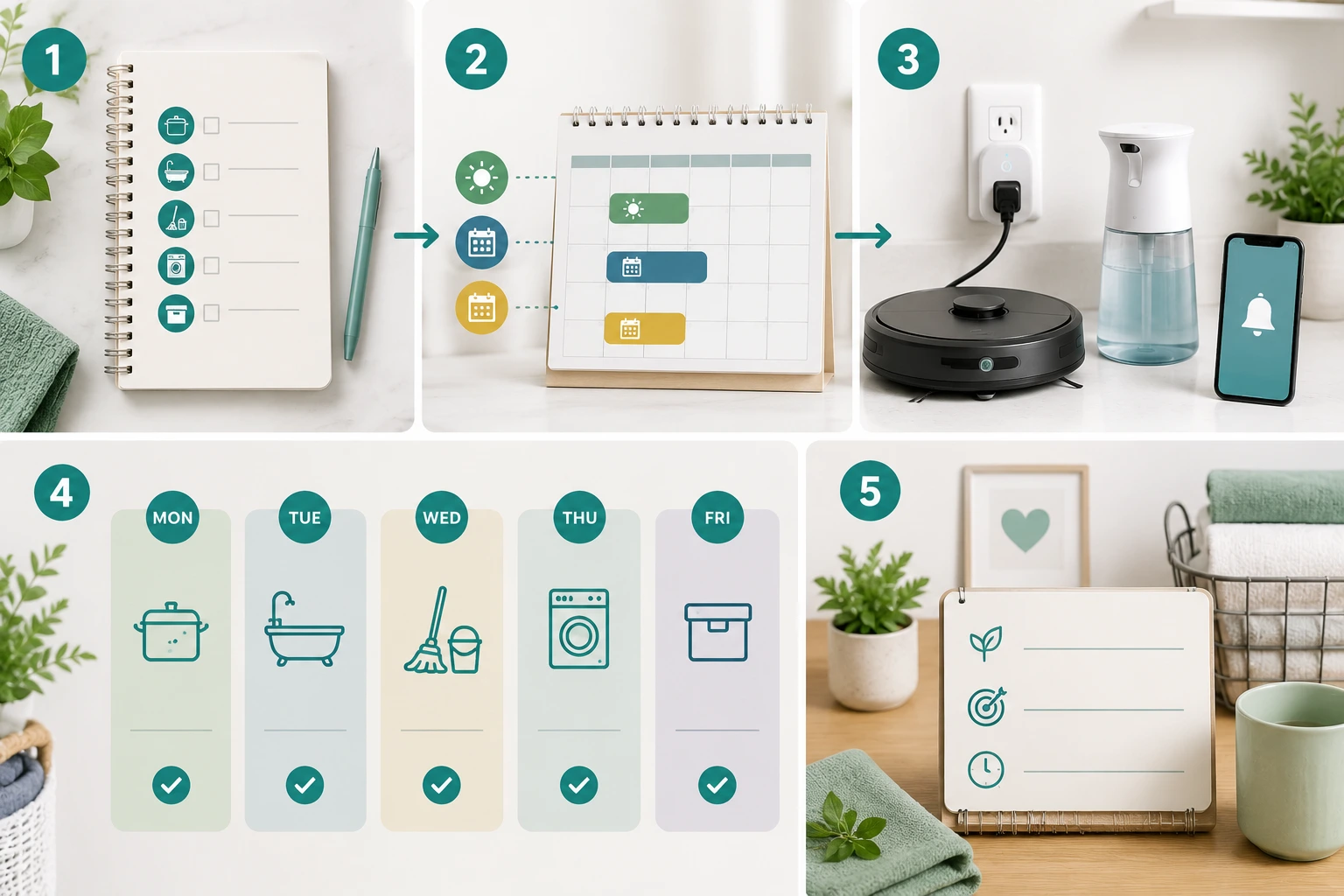
Setting up your first cleaning schedule takes about 15 to 20 minutes for a basic vacuum run, and maybe 30 minutes if you’re mapping zones. This is the step most guides skip — here’s a literal walkthrough for beginners.
Step 1 — Download the App and Connect
Find your robot vacuum’s companion app (MOVA uses “MOVA Home,” Eufy uses “EufyHome,” Yeedi uses “Yeedi”). Create an account, turn on the robot, and follow the in-app pairing steps. Make sure your phone is on 2.4 GHz Wi-Fi — most robot vacuums don’t support 5 GHz, which is the most common setup issue beginners hit.
Step 2 — Run the First Mapping Clean
Place the vacuum on its dock in a central spot in your home. Tap “Clean” or “Start Mapping.” Let it run a full pass without interrupting it — this is how it builds the room map. The first run may take longer than normal. That’s expected. Once it finishes and returns to the dock, you’ll see a floor plan in your app.
Step 3 — Label Your Rooms
Tap each zone on the map and label it — “Living Room,” “Kitchen,” “Hallway,” and so on. This takes two minutes and unlocks the ability to send the vacuum to specific rooms on demand or on separate schedules. Worth doing even if you don’t think you’ll use it right away.
Step 4 — Set Your Daily or Weekly Schedule
Go to Schedule in the app. Set a daily run for a time when you’re usually out of the house or asleep — 8 AM works for most people who leave for work, or midnight if you’re a light sleeper and your model runs quietly. For mopping, most households do 3 to 4 times per week rather than daily. Set it and forget it.
Step 5 — Set No-Go Zones (Optional but Smart)
Draw virtual boundaries around anything the robot shouldn’t touch: a dog water bowl, a pile of cables, a low-hanging furniture skirt. This prevents the most common beginner headache — the vacuum getting stuck or knocking things over. Five minutes spent here saves a lot of frustration over the following weeks.
Step 6 — Let It Run and Adjust
Check the first few scheduled runs in your app’s cleaning history. Most robots log coverage maps after each session. If a room gets missed, adjust the dock position slightly or expand the no-go zones. After a week, you’ll rarely need to touch the app at all.
By the numbers: A manufacturer study cited by ScienceDaily found robot vacuums can save households up to 110 hours per year on floor cleaning tasks (ScienceDaily, 2023 — retrieved May 2026). This is a manufacturer’s own estimate — real-world savings vary by home size and floor type. That said, daily scheduled runs genuinely remove one of the most recurring household decisions.
What Can Home Automation Not Replace Yet?
Let’s be honest: 29% of smart home owners say they actually spend more time managing their devices than they expected (AHS, 2024 — retrieved May 2026). Automation reduces cleaning effort — it doesn’t eliminate it. Knowing what’s outside the scope keeps expectations grounded.
Here’s what still needs a human in 2026:
- Toilets and tubs. No consumer robot touches these. Scrubbing bathrooms remains entirely manual.
- Countertops and stovetops. Robots work on floors only. Wiping down surfaces, cooktops, and appliances still requires your hands.
- Windows and glass doors. Robotic window cleaners exist but are niche, expensive, and finicky for most homes.
- Laundry folding. Nothing practical is available for home use yet.
- Deep cleaning. Robot vacuums maintain clean floors — they don’t replace a quarterly deep clean or baseboard scrub-down.
The honest framing: automation handles the repetitive daily maintenance so that when you do clean manually, you’re doing it less often and under less pressure. If you want to see how this fits into a bigger home system, the lazy-proof home organization system guide covers the full picture.
Frequently Asked Questions
What is the easiest way to automate home cleaning?
Start with a smart plug ($10–$20) connected to an air purifier or fan on a timer. It requires no technical skill, no hub, and delivers immediate results. If you want the biggest single upgrade, a scheduled robot vacuum handles the most time-consuming floor task automatically. Either option can be set up in under 30 minutes.
Can I automate my cleaning routine without spending a lot?
Yes. A Kasa Smart Plug Mini costs around $15 and automates any plugged-in device on a schedule. A touchless soap dispenser runs $40–$60 with zero ongoing effort. You don’t need a robot vacuum to benefit from cleaning automation — Tier 1 alone removes real daily friction for most households.
Do robot vacuums actually save time, or are they more trouble than they’re worth?
For most households, they genuinely save time. The AHS survey found 88% of smart home owners say their devices are worth the investment (AHS, 2024 — retrieved May 2026). The trouble usually comes from poor setup — cables on the floor, no-go zones not defined, or Wi-Fi issues. Spend 20 minutes on setup and you’ll rarely deal with problems after that.
What’s the best robot vacuum for beginners on a budget?
The Eufy RoboVac 11S Max (~$150–$200) is the strongest option for smaller homes — quiet, slim at 2.85 inches, almost no setup complexity. For larger homes or mixed hard-floor and carpet layouts, the MOVA S10 (~$169–$249) offers LiDAR mapping and much stronger suction for the money.
Will a robot vacuum fall down my stairs?
No. All modern robot vacuums include cliff sensors on the underside that detect drop-offs and reverse direction before going over an edge. This has been standard for well over a decade. If you have an open staircase, you can also place a virtual no-go boundary at the top for extra certainty.
What home cleaning tasks can’t be automated yet?
Toilets, bathtubs, stovetops, countertops, windows, and laundry folding all still require manual effort. Robot vacuums and mops only handle floor-level cleaning. Think of automation as handling your daily maintenance layer — it doesn’t replace a proper scrub of the bathroom or a wipe-down of kitchen surfaces. Those tasks become less frequent, but they don’t disappear.
How long does it take to set up an automated cleaning routine?
A smart plug takes under five minutes — download the app, plug it in, set a schedule. A robot vacuum takes 15 to 30 minutes for initial setup, mapping, and schedule configuration. After that, you typically spend no more than a few minutes a week emptying the dustbin. Most households are fully running by the end of day one.
Where Should You Start With Cleaning Automation?
You don’t need a smart home to have a cleaner one. You need one less decision to make each day. A $15 smart plug on your air purifier is a real win. A scheduled robot vacuum that runs while you’re at work is a bigger win. A mop combo that handles kitchen floors three times a week is the full picture.
The research is clear: habit formation takes months (MDPI Healthcare, 2024 — retrieved May 2026). But a scheduled device doesn’t need you to build a habit. It just needs to be set up. That’s the whole argument for automation — not that it makes you more disciplined, but that it removes discipline from the equation entirely.
Start at Tier 1 this week. See how it feels to have one thing running without you. Then decide whether Tier 2 makes sense for your space and budget.
Next step: Pick up a Kasa Smart Plug Mini and spend 10 minutes setting your first schedule. That’s where it starts.

Mahdy Khairudin
Mahdy is the founder of Neatara. He researches home organization systems and smart home automation for budget-conscious homes — focusing on what genuinely reduces daily friction versus what just adds complexity. More about Mahdy