
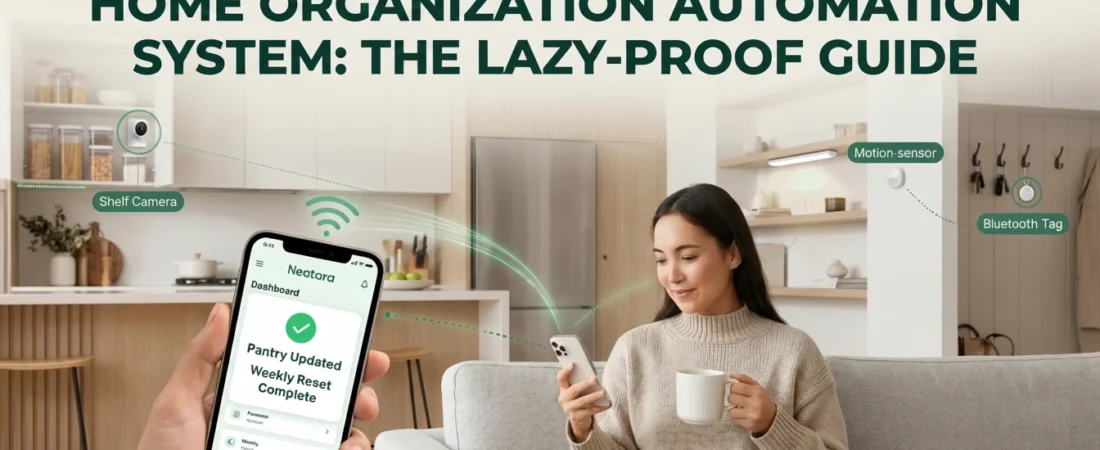
Home Organization Automation System: The Lazy-Proof Guide to Automated Organization
Build a system that stays organized without daily effort. Real organization has nothing to do with perfect labels or Pinterest aesthetics. It’s about structure that runs on autopilot while you do literally anything else.
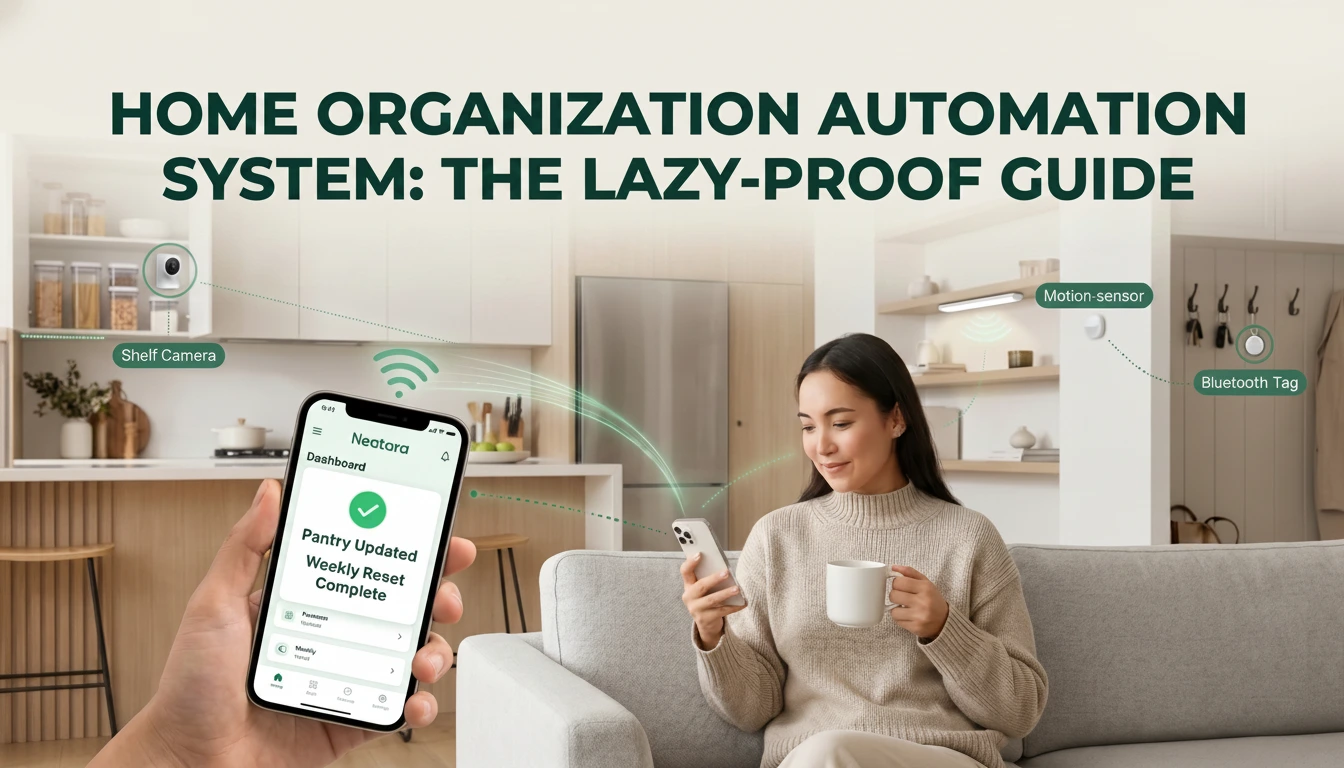
A home organization automation system combines practical storage zones with smart devices to eliminate daily decision-making. The scale of the problem is real: 54% of Americans feel so overwhelmed by clutter they don’t know what to do about it (NAPO/Decluttr Survey via PR Newswire, retrieved May 2026). And most people who organize relapse within weeks. This guide walks you through building a system that stays organized without willpower, daily check-ins, or any particular sense of tidiness. Common setup questions are answered in our FAQ.
What You Need to Know
- 48% of American homes now have at least one smart device, and 88% of smart home owners say their devices are worth the investment (AHS Smart Home Survey, 2024 — retrieved May 2026)
- An effective home organization automation system has three layers: designated zones, smart tracking devices, and automated reset rules that run without your input
- Start with one high-friction area like your kitchen or entry closet; automation spreads naturally from there
- The first zone takes 2–4 hours to set up. After that, your home largely manages itself
What Is a Home Organization Automation System?
A home organization automation system is a three-layer structure that removes the need to actively manage your space every day. In a 2024 AHS Smart Home Survey, 88% of smart home owners say their devices are worth the investment (AHS Smart Home Survey, 2024 — retrieved May 2026). Those three layers are: designated activity zones, smart devices that track and remind, and preset rules that trigger on their own. Most people have tried one layer on its own and gotten mixed results. The systems that actually last combine all three, so there’s no single point of failure when your motivation dips.
Most home organization automation systems fail not because people give up, but because the system demanded daily mental investment that nobody can sustain through a busy week. A zone-based system with automation built in works even on the days you’re sick, behind on work, or simply don’t care. That’s the whole logic: design for your worst days, not your best ones. Browse our home organization blog for more ideas as your system grows.
The Three Layers of Automated Organization
Layer 1: Zones. Assign each activity a fixed location. Your kitchen has a cooking zone, a beverage zone, a snack zone. Your closet has everyday clothes, seasonal items, and occasion wear. This takes about two hours to map once. After that, you never have to think about where things go again.
Layer 2: Devices. Smart cameras, motion sensors, and Bluetooth tags track what’s where without any active input from you. A small shelf camera shows what’s in your pantry without you opening it. A Bluetooth tag lets you locate scissors by asking your phone. Nothing that requires daily attention.
Layer 3: Automation. Once zones exist and devices are in place, you set simple rules. When the freezer drops below 50% full, your smart speaker adds items to your grocery list. You’re not managing the system anymore. It’s managing itself.
Horowitz Research’s January–February 2025 survey of 2,200 U.S. adults found 48% of American homes now contain at least one smart device, rising to 59% among adults aged 18–34. Of those smart-device households, a separate AHS Smart Home Survey found 88% of smart home owners say their devices are worth the investment (AHS Smart Home Survey, 2024 — retrieved May 2026). For home organization specifically, the impact compounds when devices are wired into a system rather than used independently.
Why Do Most Home Organization Systems Fall Apart?
The short answer: they require daily willpower, and willpower runs out. Research consistently shows 54% of Americans feel overwhelmed by clutter and don’t know what to do about it (NAPO/Decluttr Survey, retrieved May 2026), yet most revert to disorganized habits within weeks of starting fresh. The problem isn’t effort. Traditional organizing advice assumes unlimited working memory, and most people simply don’t have that to spare on top of everything else.
Decision Fatigue Is the Real Enemy
Every item in your home silently asks: Where does this go? Do I use it? Should I keep it? The average American home contains roughly 300,000 items — a figure only amplified by two decades of e-commerce growth (LA Times, 2014 — retrieved May 2026). Even if you interact with only a fraction consciously each day, the background mental load is constant and cumulative.
It’s no coincidence that UCLA research published in the Personality and Social Psychology Bulletin found women in cluttered homes had flatter diurnal cortisol slopes — a pattern where cortisol fails to drop normally by evening, linked to chronic stress and adverse health outcomes — compared to those in restful homes. Clutter doesn’t just look bad. It carries a measurable physiological cost.
Your home organization automation system removes that load at the source. When your pantry camera shows what needs restocking at a glance, you stop making a decision. When a Bluetooth tag beeps in response to “where are my scissors?”, you stop spending five minutes hunting. Small wins, compounded across a full day, add up to real time and mental energy back in your week.
Our insight Worth asking yourself: are you actually failing at organization, or are you working without the right tools? A hammer isn’t better at driving screws than your fingers because the fingers are weak. It’s the right tool for the job. Automation is that tool for maintaining a home.
A landmark UCLA study of 32 middle-class households found that women in cluttered homes had flatter diurnal cortisol slopes — a marker of disrupted stress regulation linked to chronic fatigue and adverse health outcomes — compared to women who described their homes as restful (Saxbe & Repetti, Personality and Social Psychology Bulletin, 2010, retrieved May 2026). The stress response that disorganized spaces trigger is a genuine barrier to the willpower needed to organize. Automation sidesteps that barrier by maintaining order without requiring willpower in the first place.
How Do Smart Devices Actually Reduce Your Organization Workload?
The global smart home market hit $127.8 billion in 2024 and is on track to reach $537 billion by 2030, growing at 27% per year (Grand View Research, 2024, retrieved May 2026). That growth is driven by a simple value proposition: smart devices reduce the ongoing mental and physical cost of running a home. For a home organization automation system, three low-cost devices handle the bulk of the work: a shelf camera ($15–40), a smart weight sensor ($40–80), and a pair of Bluetooth tags ($20–50). Total spend under $100. Total setup time under an hour.
Five Devices Worth Buying, and When
Not all devices are worth buying upfront. Here’s how the five most useful options compare, ranked by impact-to-cost ratio for a first-time setup:
| Device | What It Does | Approx. Cost | Best Room |
|---|---|---|---|
| Inventory Camera | Shows fridge or pantry contents remotely; no opening needed | $15–40 | Kitchen, pantry |
| Smart Weight Sensor | Sends low-stock alert when supplies drop below 25% capacity | $40–80 | Pantry, freezer, supply closet |
| Bluetooth Tags | Locates frequently lost items by voice command | $15–30 per tag | Anywhere (keys, remotes, scissors) |
| Motion-Sensor Light | Auto-illuminates dark cabinets and closets when you reach in | $25–50 | Closets, deep cabinets |
| Smart Home Hub | Connects all devices into one app so they trigger each other | $50–150 | Add after 3–4 devices, not day one |
Start with one device, not five. Pick the one that solves your most frustrating daily problem, then add from there. Buying all five at once before you’ve mapped your zones is how people end up with a drawer full of gadgets and still no working system. For a ranked breakdown of which devices deliver the highest impact-to-cost ratio, see our guide to smart home devices that solve real organization problems.
The smart home market is growing at 27% annually because the return on investment is straightforward. Grand View Research projects the global market will expand from $127.8 billion in 2024 to $537.27 billion by 2030 (Grand View Research, 2024, retrieved May 2026). For home organization, that return is measured in recovered hours and reduced daily stress. A $50 shelf camera that eliminates five store-run guessing sessions per week pays for itself in the first month.
How Do You Build a Home Organization Automation System?
The setup runs through four phases, and most people complete the first two in a single afternoon. For the 48% of U.S. households already using at least one smart device, the gap between systems that stick and those that get abandoned almost always comes down to skipping one of these phases (Horowitz Research, 2025 — retrieved May 2026). The full home organization automation system is functional within 30 days, and it naturally improves from there as you learn how your household actually uses space rather than how you assumed it would. For more home organization strategies, the blog covers specific rooms and storage challenges in detail.
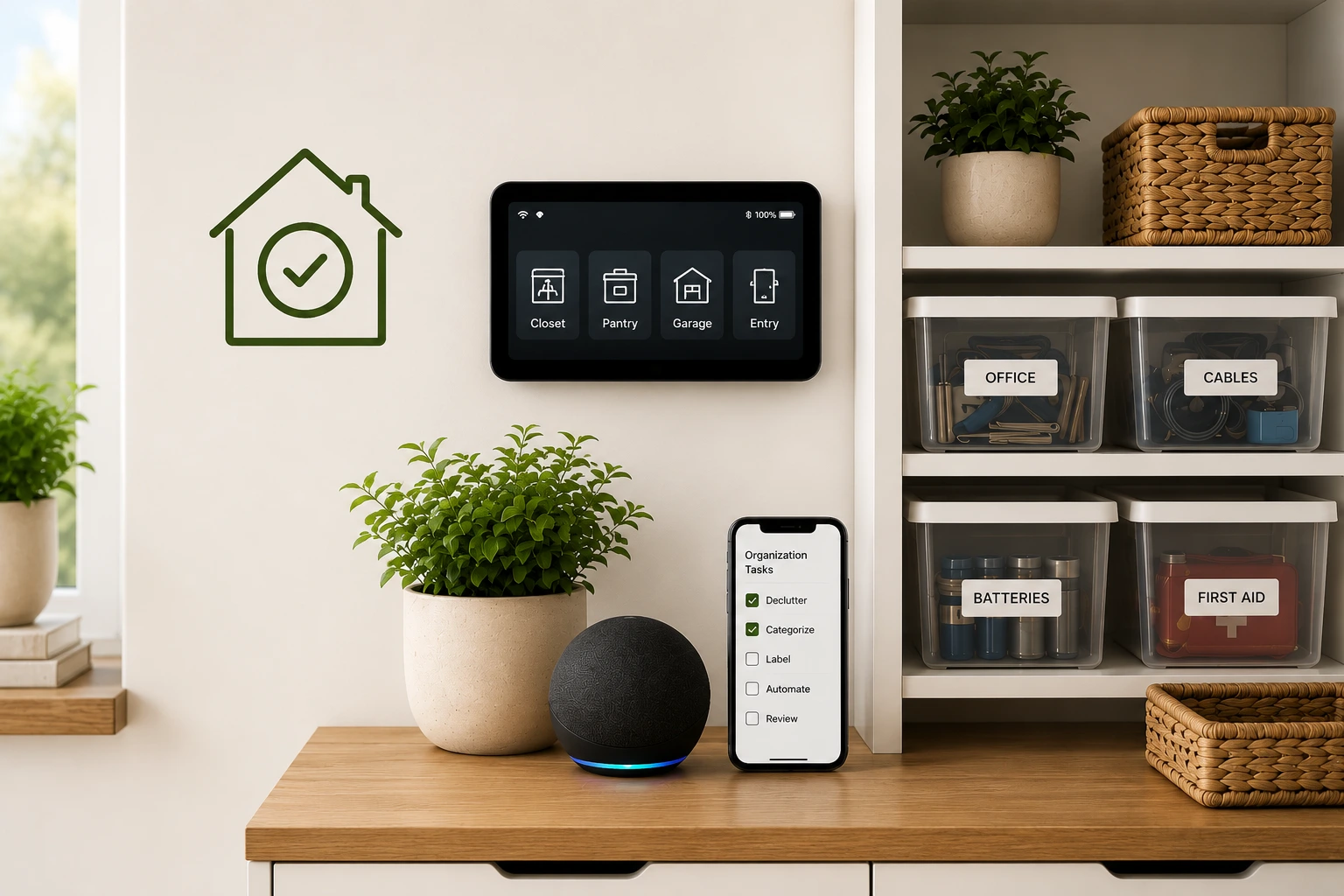
Phase 1: Choose Your Foundation Zone
Pick the one area where disorganization costs you the most time each week. For most households, that’s the kitchen. Kitchens have the highest daily interaction rate and the most predictable restocking cycles, making them ideal for a first automation attempt. A chaotic entry closet or a pantry you’ve been avoiding works equally well. The specific room matters less than choosing somewhere the improvement will be immediately visible and motivating enough to keep going.
Phase 2: Map Your Three Zones
Active Use. Items you touch several times a week. These live at eye level or arm’s reach: the pots you actually cook with, the spices in your daily rotation, the tools you reach for constantly.
Backup Stock. Items you use regularly but not every day. Clear containers with a shelf camera pointed at them. The goal is to see what’s there without opening anything or moving things around.
Seasonal or Rare Use. Holiday items, off-season clothes, specialty gear. Rotate these once per season. Keep them physically separate from daily-use zones so they don’t create visual or mental noise the other nine months of the year.
Phase 3: Install Three Devices
One shelf camera (around $20–40). One motion-sensor light in the cabinet or closet you use most (around $25–50). Two Bluetooth tags on the items you lose most often (around $25–50 for a pair). Total budget: under $100. Total install time: under 30 minutes, including connecting to wifi. That’s week one.
Phase 4: Set Three Automation Rules
Rule 1: Daily Check-In. A 30-second morning rundown from your smart speaker on what you’re low on. No opening cabinets. No guessing at what needs replacing.
Rule 2: Weekly Reset. Sunday evenings, 10–15 minutes to walk through your three zones and return anything that drifted. This is what keeps your home organization automation system from drifting back toward disorder.
Rule 3: Seasonal Rotation. A calendar reminder at the start of each season to swap out seasonal items. This single rule eliminates most “where did I store that?” moments that come up every October and March.
Your 30-Day Home Organization Plan
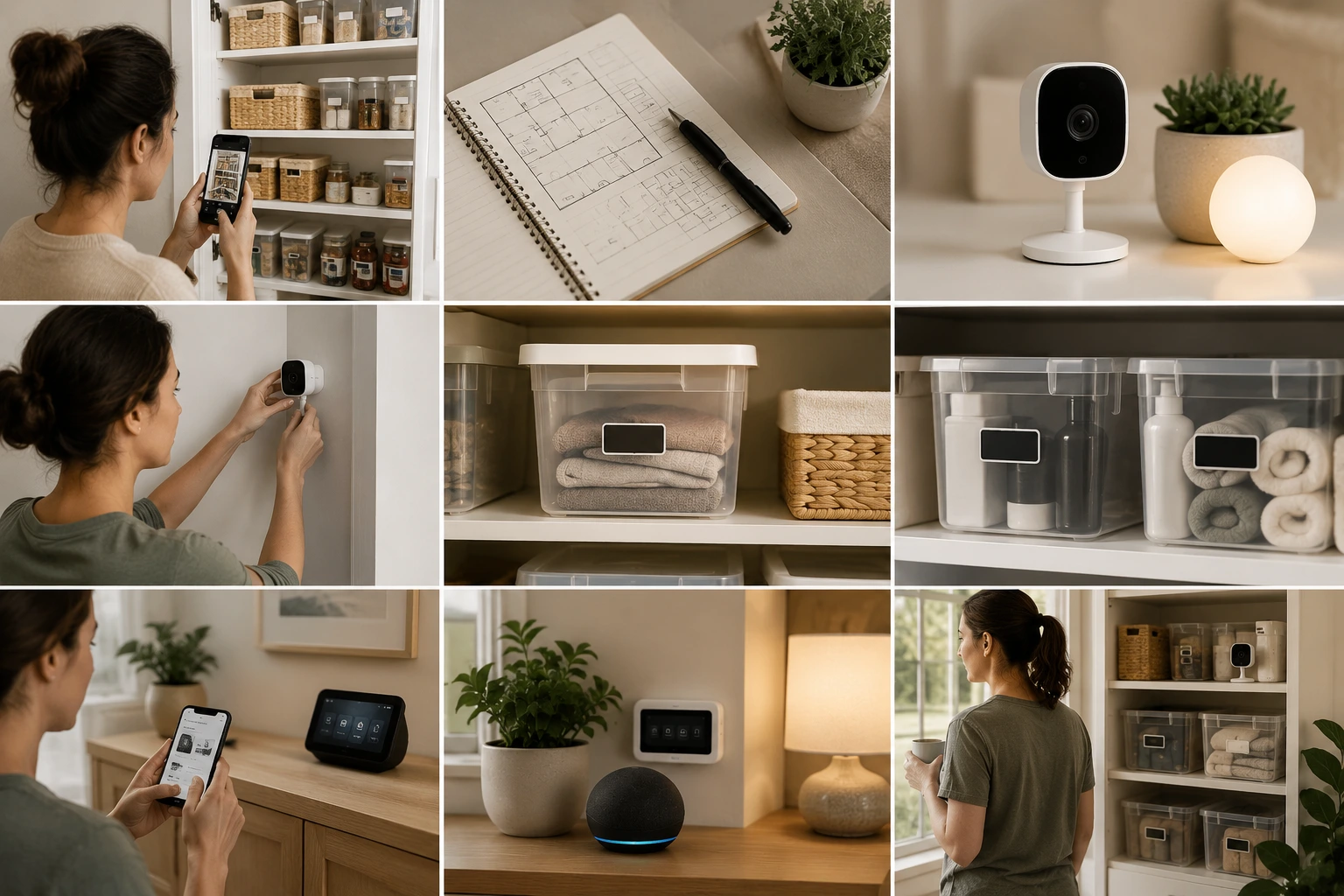
This timeline works for any home organization automation system regardless of home size, but it’s worth understanding why 30 days is the target. A December 2024 systematic review of 20 habit-formation studies across 2,601 participants found new habits take a median of 59–66 days to solidify, with a range of 4 to 335 days depending on the behavior and the individual (Healthcare, PMC, December 2024, retrieved May 2026). The 30-day plan isn’t building a habit. It’s building a system that doesn’t need one. That’s exactly why it works where habit-based approaches fall apart.
Days 1–3. Pick your zone. Photograph it from a few angles. Write down what goes where before you move anything. Our experience This planning step is the most consistently skipped, and the most consistently regretted when skipped.
Days 4–7. Buy one device. Install it. Connect to wifi. You’re looking at 30–45 minutes maximum. Resist the urge to buy multiple devices at this stage.
Days 8–14. Physically organize your zone using the map from days 1–3. Add labels. Swap opaque containers for clear ones where possible. Place your device for maximum visibility.
Days 15–21. Add two more devices. Create your three automation rules. Test each one in real use. Our insight If something creates friction instead of removing it, change it, not your behavior.
Days 22–30. Live with the system normally. Note what’s working and what isn’t. Small tweaks in this window make the difference between a system you keep and one you quietly abandon.
Months 2–3. Expand your home organization automation system to a second zone. This goes noticeably faster because you now understand how your household actually uses space rather than how you expected it to.
Month 4 onward. Keep adding zones at your own pace. By month six, most homes have covered the three or four areas that account for roughly 90% of daily organization friction. Browse our smart home and organization system posts for room-specific ideas as you expand.
The popular “21-day habit” rule is unsupported by evidence. A 2024 systematic review and meta-analysis found the median time to habit formation is 59–66 days, not 21 (PMC, Healthcare, December 2024, retrieved May 2026). An automation system sidesteps this entirely: the system runs whether or not a habit has formed, so the relapse window that defeats most organization attempts is structurally closed from day one.
Frequently Asked Questions
Do I need an expensive smart home hub to start automation?
No. A home organization automation system can start without a hub. Individual devices work independently: a smart camera, Bluetooth tags, and motion lights all function from day one. Once you have 3–4 devices, a hub ($50–150) lets them communicate and respond to shared rules, but it’s an optional upgrade, not a starting requirement. Most people add a hub in months two or three after they know which devices they’re keeping.
How long does it actually take to set up the first zone?
Expect 2–4 hours total for the first zone, spread across the first week. That includes mapping your zones (about 1 hour), physically organizing the space (1–2 hours), and installing and connecting devices (30–45 minutes). After two weeks of small adjustments based on real use, the system runs without your involvement.
Can I organize without buying smart devices?
Yes. Clear containers, labeled zones, and a weekly reset routine work on their own. The tradeoff is ongoing time: a manual-only system typically needs 2–3 hours of weekly maintenance to stay functional. Add smart devices and that tends to drop to under 30 minutes. Both approaches work; automation removes the maintenance cost so the system survives your busier weeks.
Which room should I start with?
Start wherever disorganization costs you the most time right now. That’s usually the kitchen, the entry area where everything gets dropped, or the closet you avoid opening. The first zone is where you build confidence in the system, so pick somewhere the improvement will be immediately obvious and motivating enough to keep going.
What is the difference between organizing and automating?
Organizing creates the structure: zones, containers, labels. Automating maintains it: cameras that show inventory, tags that locate lost items, rules that trigger reminders on their own. Organizing without automating works for a few weeks, then slowly falls apart as willpower fades. Automation keeps the structure self-correcting without requiring ongoing input. Together they form the foundation of any effective home organization automation system, and are significantly stronger in combination than either approach alone.

Mahdy Khairudin
Mahdy is the founder of Neatara. He has spent three years testing 20+ smart home devices and organization systems across studio apartments to four-bedroom homes — focusing on what genuinely reduces daily friction versus what just adds complexity. More about Mahdy